Offline conversion tracking is the process of linking an advertising enquiry to the sales outcome that follows it. For a B2B company, a submitted form may become a qualified opportunity, a proposal, or a signed contract weeks later. If your reports stop at the form, you cannot reliably tell which campaigns brought the enquiries your sales team could use.
This guide explains how to plan offline conversion tracking in Google Ads, connect the website and CRM, choose useful milestones, and check the data before changing bidding. It is written for marketing and sales teams running lead generation campaigns, including Indonesian businesses with a longer sales cycle.
What is offline conversion tracking?
An offline conversion is a business event recorded outside the original website interaction. A sales representative might confirm that a prospect meets your requirements or record a completed sale in a CRM. Offline conversion imports let you send eligible events back to Google Ads and connect them with earlier advertising interactions. Google's overview of offline conversion imports explains the relationship between the initial interaction and the later outcome.
“Offline” does not require a physical shop. A deal closed through a video meeting and an electronic contract can still be recorded outside the website conversion tag. The important distinction is where the outcome is confirmed, not whether the customer used the internet.
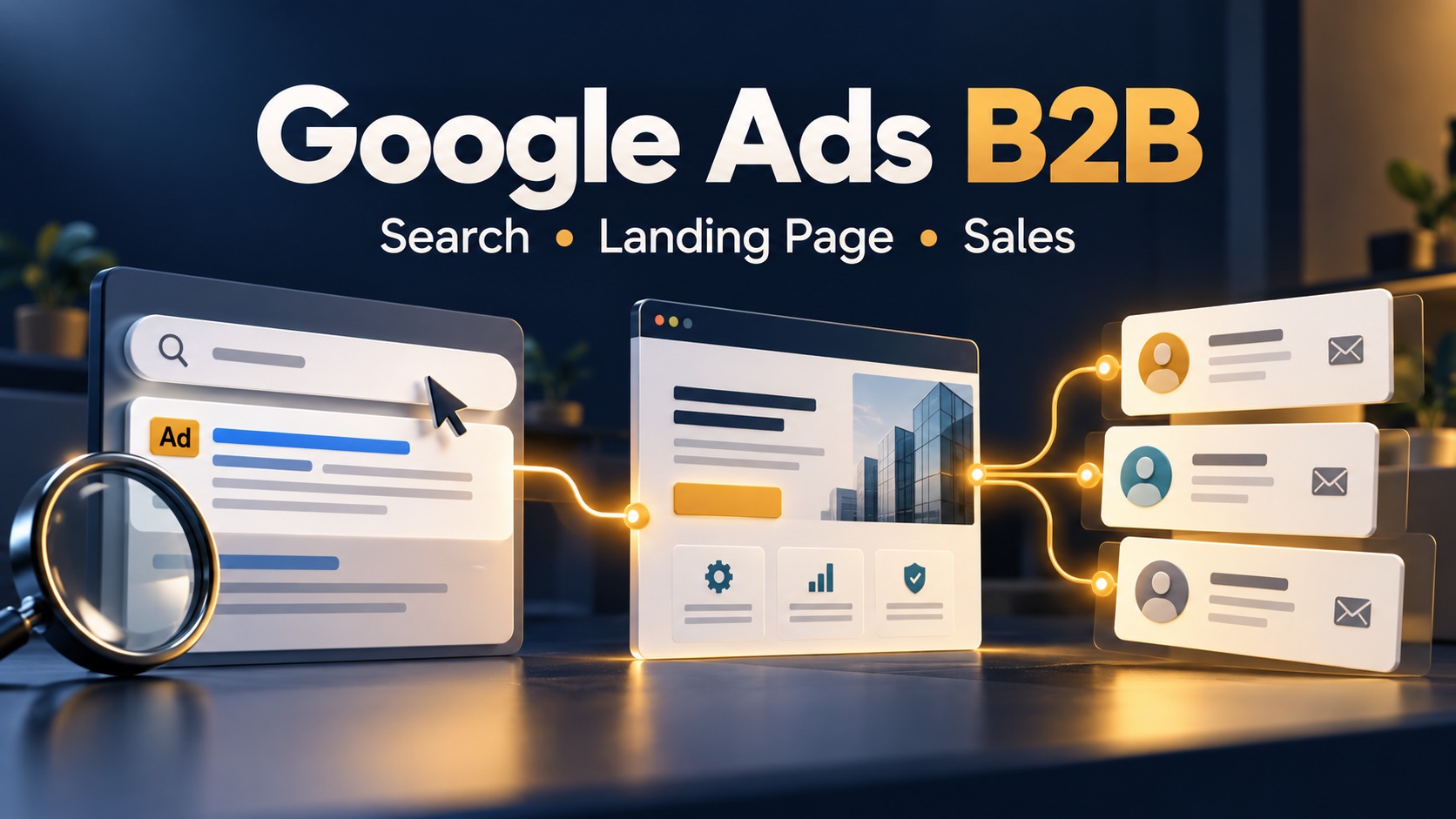
Consider the handoff after someone clicks your ads: the visitor requests a consultation, sales reviews the request, and the prospect agrees to a discovery meeting. Tracking the request and recording a qualified lead answer different questions. Neither event alone proves that the business received revenue.
Online and offline conversions: choose the business milestone
Before you set up offline conversion tracking, write a definition for every stage you intend to measure. Google distinguishes qualified leads and converted leads; your team must still decide the observable criteria behind each action.
- Enquiry: a genuine request reaches your system. Exclude internal tests and obvious spam.
- Qualified lead: sales confirms the account fits your customer profile and has a relevant business need. Document the evidence required.
- Opportunity: your sales process has reached a defined commercial step, such as an accepted discovery meeting or a requested proposal.
- Won deal: the agreed closing requirement is met. A signed agreement and a received payment are separate milestones if your reporting needs both.
A click on a WhatsApp button belongs to the website interaction layer. It does not confirm that a message was sent, a conversation was qualified, or a sale happened. Keep online and offline conversions identifiable throughout the report so those meanings remain clear.
As a practical starting point, choose one downstream milestone that sales can record consistently. Write the inclusion rule, exclusion rule, owner, and timestamp definition in a shared measurement note. Add another event only when it answers a distinct decision.
Use enhanced conversions for leads or a Google Click ID?
For new implementations, Google recommends the enhanced conversions for leads approach rather than starting with the older GCLID-only workflow. Enhanced conversions for leads supplement imported events with eligible first-party customer information, such as email addresses, processed according to Google's requirements. They can complement identifiers already collected; they do not replace your responsibility to maintain accurate records.
The Google Click ID, or Google Click Identifier (GCLID), is an advertising click identifier used in the traditional matching route. Google's GCLID setup instructions describe enabling auto-tagging, capturing the identifier from the landing URL, and storing it with the corresponding prospect. Preserve its case. Do not treat every website visitor as though they must have a GCLID.
Decide which route your current account and supported connector require. Record the choice before development begins. Avoid building a second upload pipeline simply because an older tutorial uses a different method: two teams should not independently send the same sales milestone.
Check the current Google Ads import route
Google's documentation announces a migration of offline imports and enhanced lead uploads toward the Data Manager API from 15 June 2026, with restrictions on older Google Ads API upload methods. Before relying on the Google Ads API for an implementation, verify the current migration guidance and your existing integration's eligibility. A historical code example is not evidence that a new integration can use the same endpoint today.
How to set up offline conversions: a practical workflow
1. Map the website-to-CRM record
Create a stable internal lead ID when a valid enquiry on your website enters your system. Retain the campaign context and eligible matching fields alongside that record. A practical implementation brief should state which form fields are required, which systems receive them, and how sales updates the record in the CRM.
Use a small field dictionary: internal lead ID; source system; matching identifier where available; enquiry time; milestone name; milestone time with time zone; and the person or system confirming the status. Add value and currency only when your event definition supports them. This is a planning checklist, not a substitute for the connector's exact upload schema.
Test the whole journey rather than only checking that a tag fires. Does the record survive a page redirect? Does a mobile form create the same fields? Can a salesperson update the right record without copying personal information into an unrelated spreadsheet? These questions reveal handoff failures that a campaign dashboard cannot explain.
2. Configure your Google Ads account and conversion action
Define the conversion action for the milestone and select an import method supported by your account. Confirm that the conversion name and purpose match the event in your CRM. The account configuration, website collection, and downstream data connection must agree.
For the GCLID route, Google requires both the account setup and website/lead-system changes before importing. A Google Tag Manager container can help implement website collection, but installing a container alone does not establish the offline conversion import. Assign separate acceptance checks to the form, CRM mapping, connector, and receiving action.
3. Import offline conversions into Google Ads
To import your offline conversions, use your supported Data Manager connection or another currently supported import route. Follow its field formatting, matching, time zone, and upload requirements. Google's offline imports FAQ confirms that a CRM is not mandatory; a structured lead-tracking system can also support the process.
Assign an owner for rejected records and missed runs. Keep an upload log that links each attempted event to the internal lead ID, milestone, run, and result. For your own pipeline, use a stable event key so a retry does not create a new business event. Follow the selected route's duplicate-handling rules rather than assuming different conversion actions will deduplicate automatically.
In the daily handoff, a simple checklist is useful: did the import run, how many eligible events were sent, which records were rejected, and who will resolve them? Record “not available” when evidence is missing. A blank result should not quietly become zero conversions.
4. Validate offline events before relying on the results
Reconcile a sample from source record to imported outcome. Check that the correct lead reached the intended milestone at the recorded time. Review identifier formatting and time zones, and confirm that excluded test records stay excluded. Keep any QA activity clearly labelled and separate from actual client acquisition reporting.
Google's offline data diagnostics show upload quality, notifications, history, and errors. Use those tools alongside your own logs. Review your offline conversion pipeline end to end. An accepted upload is a technical result; it does not establish that a salesperson applied your qualification rule correctly.
Primary and secondary conversion actions: protect bidding signals
Do not use Google Ads to optimize for a downstream event merely because the first import succeeded. First check the event's definition, coverage, delay, and consistency. With a small number of deals, an earlier qualified milestone may provide a more usable signal than an infrequent sale; evaluate this against the actual account data.
Google explains that primary actions can be used for bidding when their standard goal is selected. Secondary actions normally support observation and appear in All conversions. There is an important exception: actions in a custom goal can be used for bidding regardless of their primary or secondary setting. Inspect the campaign's selected goals, not just the action label.
Keep the original website enquiry visible while validating the downstream event. Sending conversions from sales back into Google Ads allows you to assess a different stage of the funnel. Make the transition deliberately and record the date of the change. Otherwise, a sudden change in reported conversions may reflect a new definition rather than an improvement in lead quality.
Read offline conversion data without overstating revenue
For your Google Ads review, use the same complete reporting period and qualification rule when comparing campaigns. Review enquiries, qualified leads, opportunities, and won deals separately. Where the sales cycle is long, compare enquiry cohorts that have had similar time to mature.
Illustrative simulation, not SAB or client results: two campaigns each spend Rp6 million. Campaign A produces 100 valid enquiries and 20 qualified leads. Campaign B produces 60 valid enquiries and 30 qualified leads. The cost per enquiry is Rp60,000 for A and Rp100,000 for B; the cost per qualified lead is Rp300,000 for A and Rp200,000 for B.
That example shows why the cheaper form submission may not be the stronger source of qualified enquiries. It does not show which campaign generated more revenue: no won-deal or payment evidence was supplied. Agency fees, sales costs, margins, and repeat purchases are also outside that simple calculation.
If you assign a modeled value to a qualified lead, label it as a modeled value. Keep it separate from booked revenue and received cash. An expected deal value in Google Ads should not be presented to a business owner as a completed sale.
Troubleshooting offline conversion tracking in Google Ads
- The CRM has a lead, but no matching event appears: inspect the eligible identifier, source-to-action mapping, event time, and connector result. Do not assume every CRM record is attributable to an ad.
- The counts are higher than expected: review repeated status changes, multiple pipelines, internal tests, and overlapping actions. Reconcile individual records before changing campaign budgets.
- Recent results look weak: separate data delay from actual business performance. A fresh enquiry cohort has not had the same selling time as an older cohort.
- The sales cycle is long: check the chosen route's import windows and connector lookback. These are not interchangeable. Google's FAQ lists different limits for traditional offline and enhanced lead imports; your connector may also have its own retrieval behavior.
- Website and CRM totals differ: check whether one report counts button clicks, another valid submissions, and another qualified people. Agree the event definition before treating the difference as a technical fault.
Maintain a short change log for form updates, connector changes, and milestone definitions. When a number moves, this gives the team something concrete to investigate instead of guessing that the advertising algorithm changed.
Customer data requirements for offline conversion imports
Collect and send only the customer information your chosen implementation requires and you are permitted to use. Google describes its handling of enhanced conversion data, including hashing and restricted uses. Hashing is a technical protection, not permission to collect or share data.
Review the website's explanation of collection and use, applicable consent requirements, access controls, and retention before activation. Keep raw customer details out of public URLs, debugging screenshots, and article examples. A marketing measurement project should have a clear data owner as well as a campaign owner.
Google Ads offline conversion tracking: launch checklist
Before you track offline conversions, ask the marketing, development, and sales owners to sign off the same evidence. This checklist is an operating recommendation, not a claim that every account uses an identical setup.
- Collection: show one permitted journey from the landing page to the stored lead record. Check the identifier in addition to the visible form fields.
- Mapping: show how your offline conversions reach the intended action, with the correct conversion name, milestone time, and time zone.
- Reconciliation: take a sample back to the original sales record. Investigate conversions that have no supporting milestone instead of accepting an aggregate dashboard total.
- Operation: name an owner for the import schedule, errors, retries, and data changes. Returning sales results to the advertising account should be a maintained process, not a one-time file upload.
- Decision: document when the new signal is suitable for reporting and when it may be suitable for bidding. Review the accuracy of your conversion records before using them to reallocate spend.
With offline conversion tracking, the useful deliverable is a traceable link between a campaign decision and a verified business milestone. Keep your website conversion tracking, sales qualification, and finance records distinct enough to explain that link. The benefits of offline conversion measurement depend on the reliability of those inputs.
Frequently asked questions
Can Google Analytics replace offline conversion tracking?
Google Analytics can help describe website behavior and online conversion events. Decide how website analytics and Google Ads fit together in your reporting plan. A sales outcome confirmed in a CRM still needs a supported route into the system where you want to use it. Connecting analytics does not automatically validate your sales statuses or make a qualified lead a paid client.
Is call tracking the same as tracking a WhatsApp click?
No. A website button click, a completed phone call, and an offline sale are different events. If calls are central to your funnel, assess the supported call conversion workflow and how sales records the outcome. Do not relabel a WhatsApp click as a completed call.
Will importing offline conversions guarantee better leads?
No. Better measurement can support better decisions, but results also depend on your offer, market demand, campaign setup, landing page, and sales follow-up. Incorrect or inconsistent qualification rules can send poor signals even when every upload succeeds.
Plan conversion measurement with Google Ads and SAB
SAB provides Google Ads and Meta Ads management, connecting campaigns, landing pages, and conversion tracking with business goals. For a broader campaign brief, read our Google Ads B2B guide.
Bring your current enquiry sources, sales stages, and reporting questions to the discussion. Review your offline conversions in context, alongside sales feedback and campaign cost. We can agree the measurement scope, responsibilities, and success criteria before implementation. Discuss your paid campaign with SAB and identify which lead-to-sale gap needs attention first.